
RUOMEI / BUYER’S GUIDE
Vacuum-Formed Light Boxes: Which Part Is Actually Formed?
A supplier may use “vacuum-formed light box” to describe a shaped face. In our series, it refers to the formed back shell. That difference matters when you send a reference photo or compare quotations.
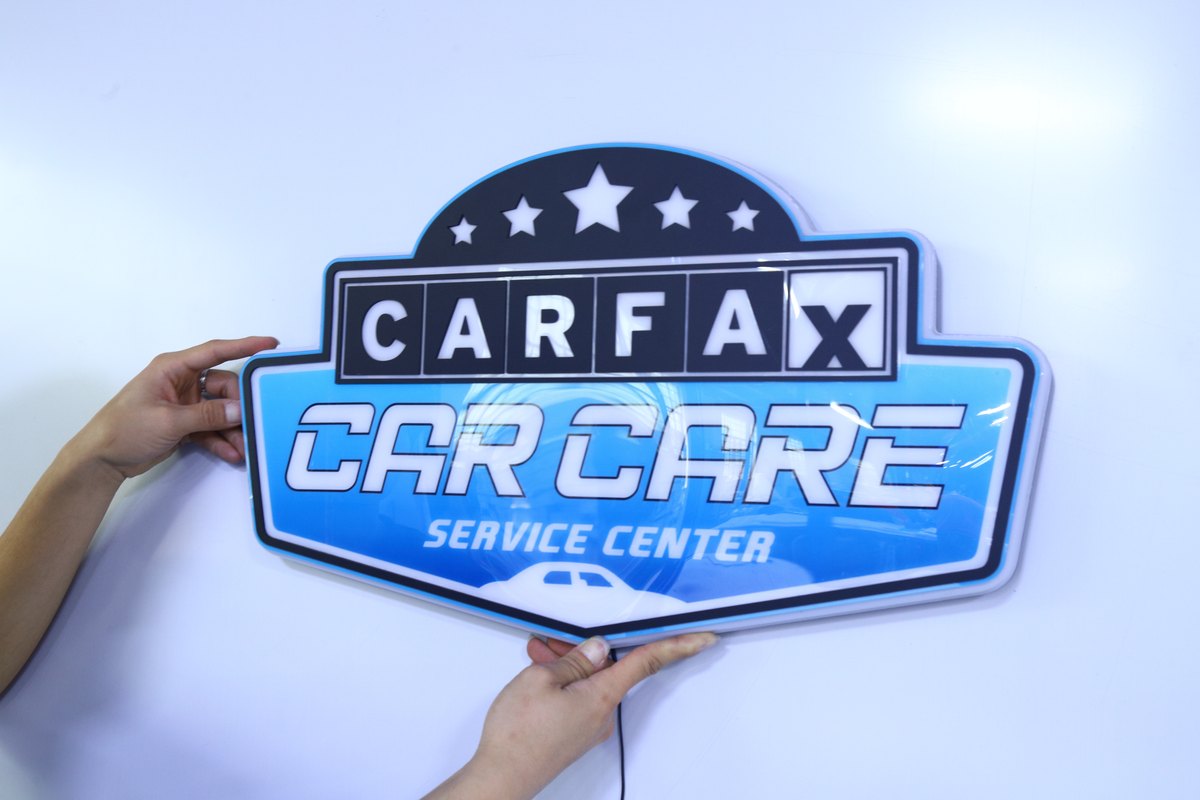
A real product photo from our vacuum-formed series. This front view shows the graphic and outline; it does not show the internal shell or LED arrangement.
1. Start with the part, not the product name
Two quotes can both say “vacuum-formed” and describe different constructions. One may refer to a face shaped over a mould. Another may refer to the shell behind the graphic. The name alone does not tell you what you will receive.
When you send a reference, mark the feature you want: the outer shape, a raised logo, the depth of the body or the illuminated graphic. A front photograph often leaves those questions unanswered.
2. In our series, the back shell is formed
Our vacuum-formed light box uses a formed back shell to create depth for the LEDs inside. That space supports the lighting arrangement and helps avoid visible LED shadows on the face. It is not a promise that any depth or LED layout will produce the same result.
The shell depth and construction need to be confirmed for the project. Do not take a dimension from another supplier’s illustration as a specification for your order.
3. A raised logo is a separate decision
The front can carry a flat printed graphic. Raised lettering or selected graphic elements can also be attached to the front. Those raised elements are not what defines this series as vacuum-formed.
| What you mean | What to show us |
|---|---|
| A shaped outer outline | The complete cut line around the artwork. |
| A flat printed face | The artwork, colours and areas intended to light up. |
| Raised front details | Mark the letters or graphic elements that should stand proud. |
| A particular body depth | A side reference or installation-space requirement. |
4. Review the graphic with the lighting
A photograph of a lit sign can make one area look brighter than it appears in person. Agree on the viewing distance and ambient lighting when reviewing the sample. Look at the complete graphic, then check whether visible LED shadows or uneven areas affect the intended appearance.
If a part of the logo must remain dark, mark it on the artwork. Do the same for the areas that should illuminate. A request to “make it light up like the photo” can be interpreted in more than one way.
5. Send a brief that separates the choices
For a quotation, send the artwork or reference photo, overall width and height, and quantity for each design. Add the installation method and whether the sign will be used indoors or outdoors. If space behind the sign is limited, include that restriction.
Then state whether the face should be flat or have raised details. We can review the suitable construction through our custom LED light box options. A reference image starts the discussion; the agreed drawing and specification define the order.
6. Compare matching constructions
Before comparing totals, check that both quotations cover the same outline, size, front treatment, lighting requirement, mounting arrangement and packing. Ask which part is formed and whether any mould cost is listed separately.
If those points are still open, a lower figure may cover a different product. Settle the structure first so the sample is testing the sign you actually intend to order.
FROM YOUR BRIEF TO THE NEXT STEP
Send us what you have so far.
A logo or reference photo, size and quantity will get us started. Include any questions about the design or installation.
Tell us about your project
Use the message field to describe your artwork and requirements.