
RUOMEI / BUYER’S GUIDE
Full-Acrylic or Metal-Frame Light Box? Compare the Body, Not Just the Front
If you want the body itself to glow, start by discussing a full-acrylic construction. If your display needs a visible support frame or a defined mounting structure, discuss the metal-frame option. A front-view logo image cannot settle that choice: the sides, back and installation matter too.
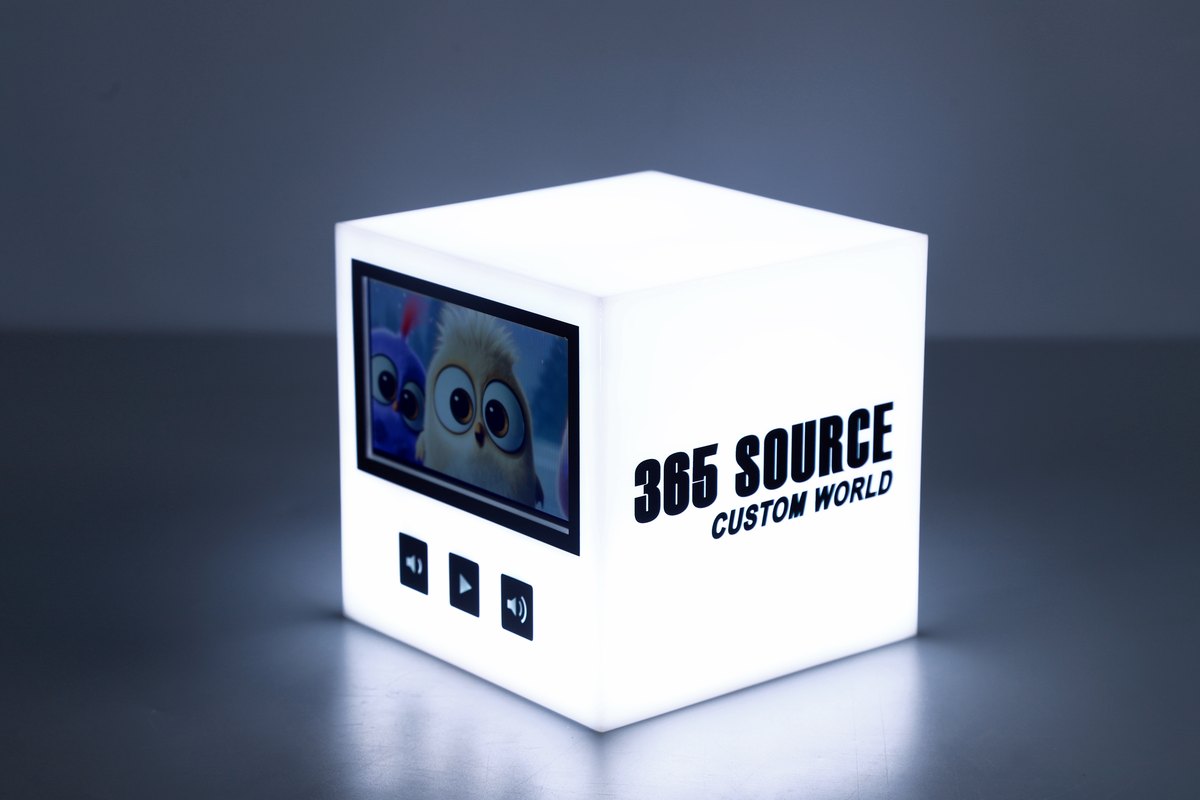
Full-acrylic product example: notice the illuminated body surfaces. The pictured display and controls belong to this example; they are not standard inclusions for every light box.
1. Ask what each name describes
“Acrylic light box” can refer to an acrylic face, while the rest of the product uses another material. A full-acrylic direction puts the acrylic body into the design discussion. State whether you want only the front to glow or also the visible sides and other surfaces; confirm the proposed result on the drawing and sample.
“Metal-frame” describes a frame or supporting structure. It does not, by itself, specify the graphic face material or mean that the entire sign is enclosed in a metal cabinet. RUOMEI reviews both full-acrylic and metal-frame directions against the project. Ask which parts are acrylic, which are metal, and which parts are visible after installation.
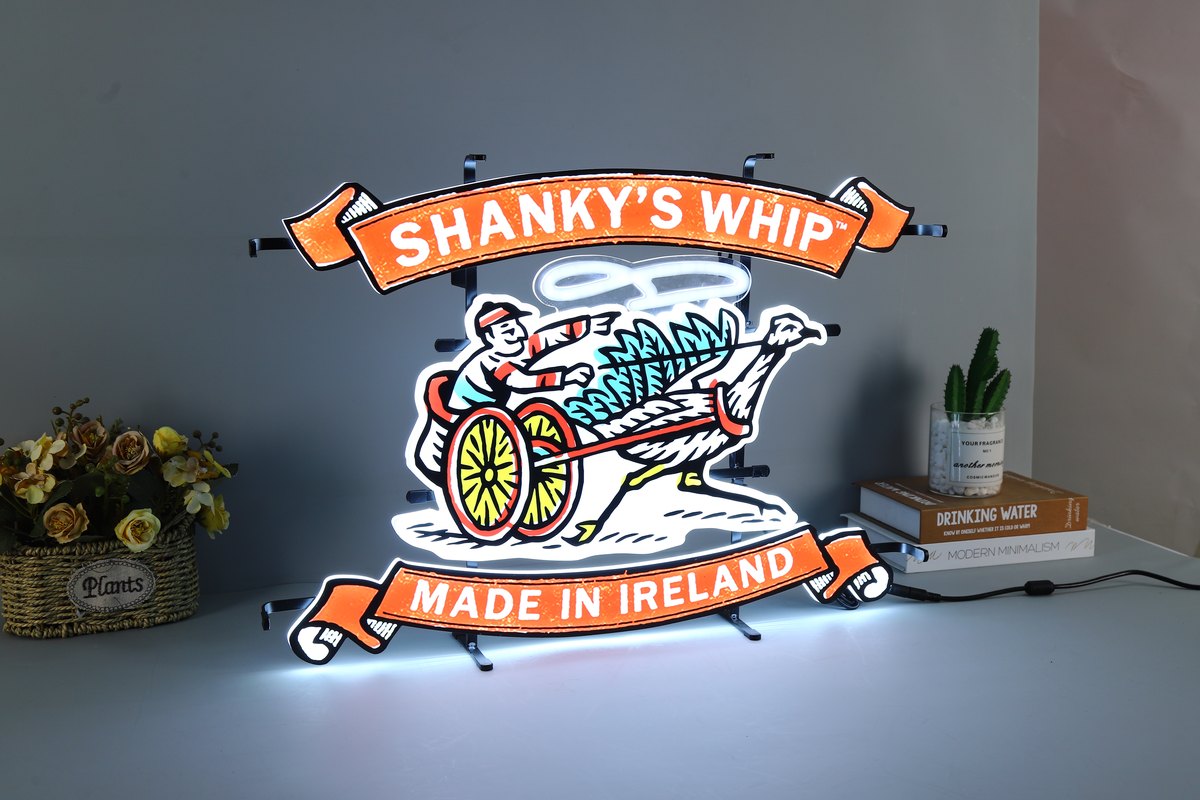
Metal-frame product example with a visible dark support around separate graphic elements. This is a different design from the acrylic example, not a controlled brightness or cost comparison.
2. Compare the surfaces customers will see
A tabletop display may be viewed from several sides. A wall sign may hide its back but leave its edges visible. Send the intended viewing directions before choosing from a catalogue photograph.
| Decision | Full-acrylic direction | Metal-frame direction |
|---|---|---|
| Visible body | Mark the surfaces intended to glow and those intended to stay opaque. | Mark the frame parts that remain visible and the desired finish. |
| Graphic layout | Show how artwork continues across, or stops at, each visible face. | Show how graphic elements sit inside or on the support. |
| Installation | Confirm the supporting and mounting arrangement for the body. | Confirm frame fixing points and the connection to the display or site. |
| Quotation | Use the agreed dimensions, lighting and configuration. | Use the same project brief and identify any changed construction. |
The photos on this page illustrate two constructions. Their different artwork, size and lighting prevent a fair performance comparison.
3. Show the artwork beyond the front view
For a body with more than one visible face, label the artwork on each face. A logo that fits the front may not fit a narrower side without a separate layout. If the side should stay plain, say so.
Include overall width and height, any depth limit, and the available installation space. If you only know the front size, we can start from that and review the remaining details. Do not carry a depth measurement from an unrelated reference product into the order as a confirmed specification.
4. Check the support and environment separately
A material name cannot confirm how a sign should be fixed, how much it weighs or whether it suits an outdoor position. Those depend on the complete construction. Send the mounting method and a site photograph; identify any exposed rain, strong sunlight or restricted space.
Ask for the proposed mounting arrangement and cable exit to be included in the project approval. If you need future access to internal parts or a changeable graphic, raise that at the same time. Neither “full-acrylic” nor “metal-frame” guarantees those features.
5. Ask for alternatives against one brief
To compare two proposals, keep the logo, overall size, quantity, lighting requirement and delivery scope the same. Ask the supplier to list the differences: body construction, frame finish, visible illuminated surfaces, mounting parts and packaging.
We cannot rank the two categories by price, brightness, weight or durability from their names alone. If a proposal changes the size or installation method to meet your budget, make that change visible in the quote. Otherwise, you may be comparing different products while assuming only the body material changed.
6. Send a reference and mark what you like
Send your logo or reference image, size and quantity to start a light box quote. On the reference, mark what matters: glowing sides, a visible frame, separated graphic pieces, or a particular overall shape. A short note is more useful than asking us to “make it the same” when the hidden structure is unknown.
You can review our custom LED light box options, then use the form below to request a full-acrylic proposal, a metal-frame proposal, or both against the same brief.
FROM YOUR BRIEF TO THE NEXT STEP
Send us what you have so far.
A logo or reference photo, size and quantity will get us started. Include any questions about the design or installation.
Tell us about your project
Use the message field to describe your artwork and requirements.